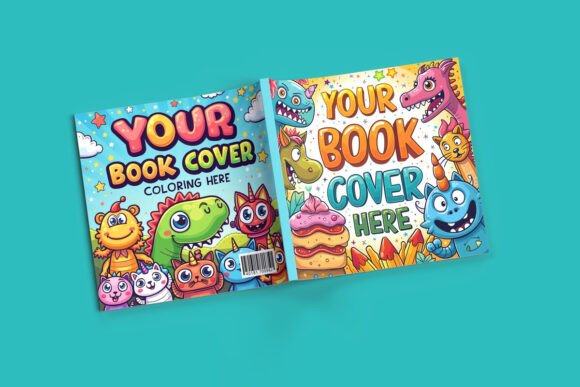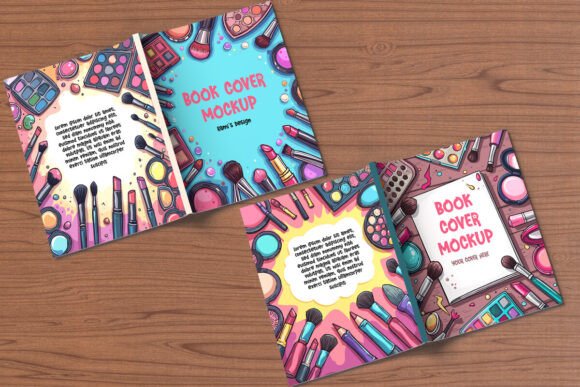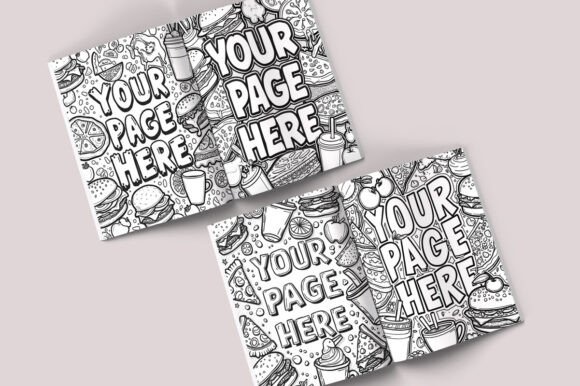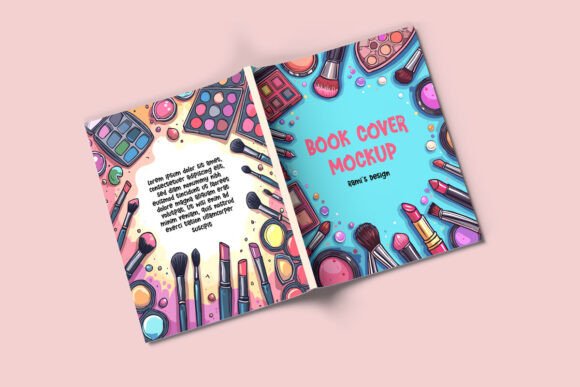
Two Pages Open Book Mockup for Real Projects
A book cover or interior layout can look completely different when viewed in a flat, isolated image versus when it's placed inside a realistic scene. That's where a two pages open book mockup becomes useful. It shows your design as it would appear in the hands of a reader, with the spine curving naturally and the pages catching light and shadow. This article walks through what a two pages open book mockup actually is, why it matters to different people, and how to decide if it fits your specific project or skill level.
What exactly is a two pages open book mockup?
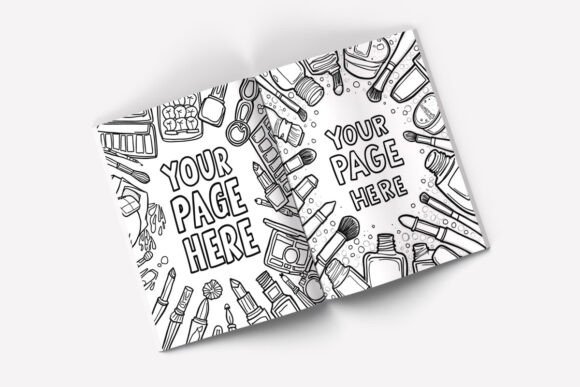
At its simplest, a two pages open book mockup is a layered image file—often a PSD, PNG, or a template in a design tool—that lets you place your own artwork onto the visible pages of an open book. The mockup provides the surrounding context: the cover edges, the page thickness, the binding, and often a background surface like a desk, table, or textured paper. You insert your design into a smart object or designated area, and the mockup automatically applies perspective, shadows, and lighting effects that make your work look like it was printed in a real book.
Some mockups focus on hardcover books with a visible spine and endpapers. Others simulate softcover volumes that lie flat. Many include optional elements such as a bookmark ribbon, a coffee cup beside the book, or a hand holding the page. The level of realism varies widely, from ultra-detailed renders that look photographic to clean, minimalist templates that emphasize the layout over the environment.
Different readers will care about different aspects of this tool. A marketer might need a mockup that sells a feeling or lifestyle. A self-publishing author might want something that shows their paperback accurately. A student working on a portfolio project might prioritize free or low-cost options. Understanding these varying priorities helps you choose the right mockup without wasting time on features you don't need.
Beginners and first-time users: ease of use matters most
If you have never placed artwork into a mockup before, the experience can feel intimidating. Many two pages open book mockups rely on Adobe Photoshop and its smart object layers. You double-click a thumbnail, paste your image, save, and the mockup updates automatically. That workflow is straightforward once you try it once or twice, but the first time it can feel unfamiliar.
For beginners, the best mockups include clear instructions inside the file or on the download page. Some provide a video tutorial. Others work with simpler tools like Canva or Placeit, where you upload your image and the platform applies it in your browser. No software installation is needed. These browser-based mockups trade some fine-grained control for instant results, which is often exactly what you need when you are learning.
If you are a beginner, look for mockups labeled “beginner friendly” or those that require only drag-and-drop. Avoid files that demand adjustment layers, manual masking, or color correction unless you are ready to learn those steps. Also check the file format: PSD files require Photoshop or a compatible editor, while layered PNGs or templates for web-based tools are more accessible.
One practical example: a college student preparing a class presentation on book design might find a free browser-based mockup on a site like Smartmockups or Canva. They upload their cover art in under two minutes and export a presentable image for their slides. That speeds up their workflow and lets them focus on content rather than technical hurdles.
Experienced designers and creators: flexibility and quality come first
For someone who works regularly with mockups, the priorities shift. You likely know how to edit smart objects and adjust layer effects. What you care about is how much control the file gives you. Can you change the book color? Adjust the page tone? Replace the background? Rotate the angle? A high-quality two pages open book mockup provides editable textures, customizable lighting, and multiple camera angles within a single file or set.
Experienced creators also value resolution. If you are preparing assets for print or high-resolution web display, a mockup that outputs at 4000 pixels or more on the longest side gives you room to crop and resize without loss of quality. Mockups with 72 DPI are fine for social media, but professional portfolios and client presentations benefit from 300 DPI files that look sharp on retina screens and printed materials.
Another factor is how the mockup handles your content. Some templates apply a subtle paper texture to your design, which can look beautiful for certain projects but undesirable for others. The best mockups let you toggle paper texture on and off or adjust its intensity. If you are a cover designer presenting to an author, you want the cover art itself to be the focus, not the simulated page grain.
An experienced freelance book cover designer might purchase a premium two pages open book mockup set that includes ten different angles and three lighting scenarios. They use these to present drafts to clients, making each cover look polished and professionally staged. The same designer might also use a mockup to test how a spine and cover flow across the front and back in the open position, something a flat digital file cannot reveal.
Educators and publishers: accuracy and context are key
If you teach design, publishing, or typography, a two pages open book mockup serves a different purpose. You are not selling a product—you are showing how layout decisions work in practice. Realism matters, but so does the ability to highlight specific elements. An educator might need a mockup that makes the gutter visible so students can see where text disappears into the binding. They might also want a mockup that shows both pages simultaneously to illustrate the balance of a spread.
For publishers evaluating a manuscript or proof, a mockup can simulate the final product before a full print run. This is especially useful when deciding on trim size, paper color, or margin widths. A publisher might compare three different mockups of the same book interior, each using a different paper simulation, to decide which feels more readable or marketable for a specific genre.
In this context, the mockup acts more as a functional tool than a decorative one. Look for mockups that allow you to swap interior content easily, not just the cover. Some high-end mockups let you change the interior text and page color separately from the cover, giving you a truer preview of the reader experience. Educators and publishers should prioritize accuracy over visual flair. A mockup with a slightly dull background and realistic page curl can be more useful than one with a gorgeous coffee cup and dramatic shadows that distract from the content.
Business owners and entrepreneurs: speed and commercial value
Small business owners, self-published authors, and product creators often need mockups to support marketing efforts. You might sell digital planners, journals, or educational workbooks. A two pages open book mockup can help you create listing images for Etsy, Amazon KDP, or your own website. The goal is to make your product look desirable and credible in a crowded marketplace.
For entrepreneurs, time is a scarce resource. A mockup that takes more than ten minutes to set up feels like a burden. Browser-based mockup services that include a library of scenes and let you swap designs with one click save hours each week. Some platforms even let you upload your design and generate multiple mockup angles in a batch, which is useful when you need a pack of images for a product launch.
Cost also plays a significant role. A single premium mockup might cost between five and twenty dollars. A subscription service gives you access to hundreds of scenes for a monthly fee. If you produce a high volume of products or update your listings frequently, the subscription route often pays for itself. If you only need one or two mockups per quarter, buying individual files makes more sense.
Practical example: a small business owner who sells low-content books on Amazon might use a two pages open book mockup to create a set of listing images. They show the book lying open on a desk, then a close-up of the interior layout, and finally a lifestyle shot with a coffee mug. All three images come from the same mockup file with different zoom and angle presets. This consistency across their product listing builds trust with potential buyers.
Marketers and bloggers: presentation drives engagement
If your work involves promoting books, courses, or written content online, the visual appeal of your assets directly affects click-through rates. A two pages open book mockup can transform a flat PDF cover into an inviting image that people want to explore. Bloggers use mockups for featured images, social media posts, and lead magnets. A mockup that shows a book on a cozy background can convey a mood that text alone cannot.
Marketers often need mockups that match a brand aesthetic. If your blog uses warm tones and natural textures, you want a mockup with wooden surfaces, soft lighting, and earthy colors. If your brand is sleek and modern, look for mockups with clean white backgrounds and neutral shadows. The mockup should complement your brand, not fight it.
Speed matters here as well. When you are publishing multiple times per week, you cannot spend twenty minutes per image. Batch creating your mockups once per month and storing them as templates saves time. Some marketers also repurpose the same mockup for different products by swapping the cover image, which is quick if the mockup supports easy editing.
A blogger promoting an ebook on productivity might use a two pages open book mockup to show the table of contents and a sample chapter spread side by side. That visual tells potential readers exactly what they will get and how the book is organized, which can increase trust and conversion far more than a simple cover shot.
Hobbyists and consumers: creativity without pressure
Not everyone using a two pages open book mockup is a professional. Hobbyists who design book covers for fun, create gifts for friends, or experiment with typography also find value in these tools. The priority here is enjoyment and creative exploration rather than ROI or client satisfaction.
Hobbyists often prefer free mockups or low-cost packs. They may not need ultra-high resolution or multiple camera angles. A single, well-made mockup that is easy to use and produces a pleasing result is enough. Many free mockup sites offer exactly this: a handful of scenes that cover basic needs without overwhelming the user with options.
If you are a hobbyist, focus on mockups that feel inspiring. Choose scenes that match the mood of your project. A fantasy novel cover might look better on a vintage wooden table than on a modern white desk. A children's book illustration might shine on a colorful or playful background. The mockup should make you want to keep designing, not frustrate you with technical demands.
Consumers who are not designing anything themselves might still encounter mockups when they browse products online. When you see a book advertised on a wooden table with soft lighting, that image is often a mockup. Understanding that helps you recognize the difference between a real product photo and a staged simulation. This awareness can influence your expectations as a buyer.
How to decide if a two pages open book mockup matches your goals
The right mockup for you depends on your project type, skill level, and the result you want. Here is a quick way to evaluate:
- Your skill level: If you are new to mockups, choose a drag-and-drop service or a PSD file with clear instructions. If you are experienced, look for editable textures, multiple angles, and high resolution.
- Your output medium: For social media, moderate resolution and good lighting are enough. For print or professional portfolios, prioritize 300 DPI files with realistic shadows and paper texture.
- Your timeline: If you need images fast, browser-based tools win. If you can spend time customizing, a layered PSD gives you more creative control.
- Your budget: Free mockups work well for personal projects and practice. Paid mockups and subscriptions offer higher quality, more variety, and commercial usage rights.
- Your aesthetic needs: Match the background, lighting, and book style to your brand or project mood. A mockup that conflicts with your design will hurt the final impression.
Ultimately, a two pages open book mockup is a practical bridge between your digital file and the real-world experience of holding a book. Whether you are a beginner learning design, a marketer creating listings, an educator teaching layout, or a hobbyist exploring creativity, the right mockup saves time, improves presentation, and helps your work feel finished. Take a few minutes to match the tool to your actual needs, and you will get results that feel both professional and authentic.