Invitation Greeting Card Mockup Essentials
When you need to present a party invite, wedding announcement, or business event card to a client, showing a flat digital file rarely feels convincing. That is where an invitation greeting card mockup becomes genuinely useful. It is a realistic, often editable template that lets you place your design onto a life-like representation of a printed card—folded, held in someone's hand, resting on a table, or paired with an envelope. Think of it as a visual bridge between your screen-based creation and the tangible product your audience will eventually receive.
Instead of describing what a finished card might look like, you show it in a context that feels familiar and real. This small shift in presentation changes how people perceive your work. The same design, when placed inside a mockup, suddenly has weight, texture, and presence. For anyone who designs, sells, or shares invitation cards, mockups remove the guesswork and add a layer of professionalism that plain flat previews simply cannot match.
What an Invitation Greeting Card Mockup Really Does
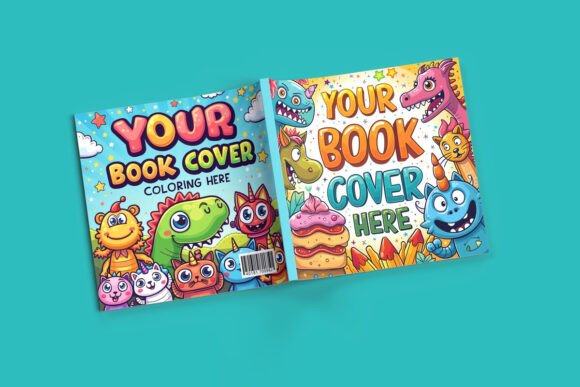
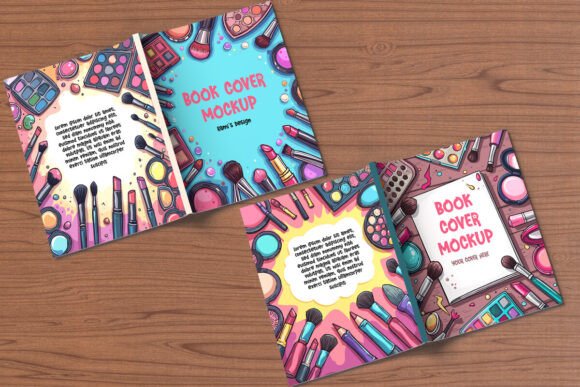
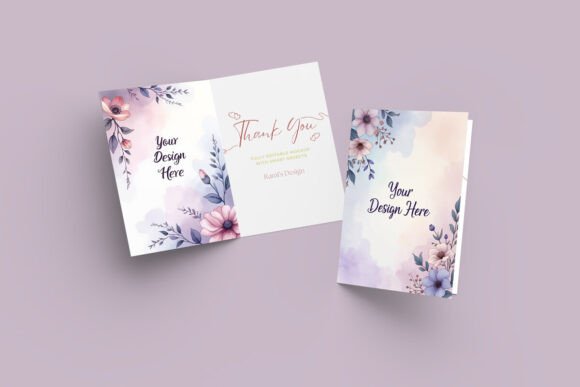
At its core, a mockup is a layered file—usually a PSD (Photoshop document) or a template for online design tools—that contains a photograph of a printed card in a natural setting. Your design replaces the placeholder area through a smart object layer or a simple drag-and-drop interface. The mockup handles the lighting, shadows, angles, and reflections automatically. You get a final image that looks like a photograph of your actual printed card, without needing to print a single copy.
The main purpose goes beyond aesthetics. It helps you communicate a feeling and a level of quality that a flat JPEG cannot convey. A person looking at a mockup can imagine receiving that card in the mail, opening the envelope, and feeling the paper. That emotional connection matters whether you are selling templates on Etsy, presenting a proposal to a bride, or showing branding samples to a corporate client.
Key characteristics of a solid invitation mockup include realistic lighting, appropriate shadows, fold lines that look natural, and enough resolution to show fine details like foil stamping or letterpress impressions. The best ones also come with multiple views—front alone, open spread, flat lay, or angled shot—so you have flexibility depending on where you plan to use the image.
Why People Turn to Mockups for Invitations
The reasons vary, but most fall into a few common scenarios. A designer working on a custom wedding suite needs to show the couple how the invitation, RSVP card, and envelope look together as a set. A small business owner launching a line of birthday invitations wants to create cohesive product listings for an online shop. A blogger or social media content creator needs eye-catching visuals that stop the scroll and communicate a specific mood or theme.
Beyond saving time and money on printing, mockups solve a practical problem: they let you test and iterate quickly. You can swap colors, adjust typography, or try different paper textures in minutes and see how each version reads in a realistic context. This speeds up decision-making for both the designer and the client. Instead of imagining what a gold foil accent might look like on cream cardstock, you see it. That clarity reduces revisions and builds confidence in the final direction.
Where and How You Can Use an Invitation Greeting Card Mockup
Mockups are not limited to one industry or skill level. Their versatility makes them valuable across many personal, professional, and commercial contexts. Here are a few realistic ways people put them to work.
In Client Presentations and Proposals
If you design invitations for weddings, birthdays, baby showers, or corporate galas, your clients often struggle to picture the end result from a flat screen. Placing your design into a invitation greeting card mockup transforms your proposal into something tangible. Show the invitation held in someone's hand, and the client immediately understands size, format, and presence. This approach builds trust and reduces the back-and-forth about details that are hard to describe in words.
In Online Marketplaces and Product Listings
Selling invitation templates on platforms like Etsy, Creative Market, or your own website? The product thumbnail is your first and often only chance to catch a buyer's attention. A realistic mockup conveys the quality of your template better than a screenshot ever could. Buyers want to see how the card looks in real life—how the fold works, how the text sits on the page, and whether the design feels elegant, playful, or formal. A mockup answers those questions at a glance, increasing click-through rates and conversions.
In Social Media and Blog Content
Content creators and bloggers use mockups to create cohesive visual feeds without staging a new photoshoot every time. An invitation mockup placed on a styled flat lay with flowers, ribbon, or a cup of coffee tells a story. It gives followers a reason to pause and engage. For tutorials and how-to posts, showing before-and-after mockup images helps readers understand what a design will look like when printed, which adds practical value to your content.
In Branding Portfolios and Personal Projects
Freelancers and graphic designers often include mockup presentations in their portfolios to demonstrate real-world application skills. Showing an invitation design inside a mockup signals that you understand production, scale, and the user experience. Even if the project was speculative or personal, the mockup makes it feel finished and professional. For educators teaching design, mockups are useful teaching tools that help students connect digital work with physical outcomes.
How to Choose the Right Invitation Greeting Card Mockup
Not every mockup serves every purpose. A few considerations can help you pick one that fits your specific need without wasting time or money.
- Resolution and quality: Look for mockups with high-resolution images, especially if you plan to print your presentation or use it in large displays. Blurry shadows or low-res textures undermine the realistic effect.
- Angle and perspective: Straight-on shots work well for product listings because they show the full layout clearly. Angled or hand-held shots add personality and are better for social media and mood boards.
- Editing method: Smart object layers in Photoshop are standard, but many online mockup generators now offer browser-based editing. Choose a format that matches your workflow and skill comfort.
- Customization options: Some mockups allow you to change paper color, shadow intensity, or background. Others are fixed. Decide how much control you need before you download.
- License terms: If you plan to sell the final image or use it in commercial marketing, check the license. Free mockups often have restrictions that paid ones do not.
Practical Observations for Beginners and Regular Users
Starting with mockups can feel a little technical, but the learning curve is short. Most modern mockups come with instructions inside the file or on the download page. If you use Photoshop, the key step is locating the smart object layer, double-clicking its thumbnail, pasting your design, saving, and closing. The mockup updates automatically. If you prefer a browser-based tool, platforms like Canva, Placeit, or Mediamodifier offer drag-and-drop mockup templates that work with no software installation.
One practical tip: always design your invitation at the correct dimensions and resolution before placing it into the mockup. A stretched or pixelated design ruins the realistic effect, even if the mockup itself is flawless. Also, consider the surrounding context. A mockup showing the card on a wooden table fits a rustic wedding theme but might feel out of place for a modern corporate event. Match the mockup's style to your target audience's expectations.
Another observation worth noting is that mockups can also reveal design flaws you might miss on a flat screen. When you see your invitation in perspective, you might notice that the text feels too small, the margins are uneven, or the focal point shifts awkwardly. This immediate visual feedback helps you refine your design before you commit to printing, saving both time and money.
What to Keep in Mind Before Using a Mockup
While an invitation greeting card mockup is a powerful tool, it is not magic. It simulates reality, but real printing can introduce variables that a mockup does not predict. Paper weight, finish, and ink behavior affect the final look. Use mockups to communicate design intent, but always print a physical proof before mass production if the project demands accuracy. Also, avoid overusing the same mockup across multiple projects. Buyers and clients notice repetition, and it can make your work feel less unique. Invest in a small collection of varied mockups that let you present different styles and formats.
Finally, remember that mockups are presentation tools, not design shortcuts. The quality of the invitation itself—your typography choices, color harmony, spacing, and overall composition—will always matter more than the container you place it in. A great design inside a simple mockup outperforms a mediocre design inside an elaborate scene. Let the mockup enhance your work, not carry it.
Whether you are a freelancer showing off a new suite of birthday invites, a small business owner building product listings, or a hobbyist creating something special for a friend's wedding, mockups give you a simple way to elevate your presentation without needing a photography studio or a print run. They bring your invitation designs one step closer to the real world, and that makes all the difference when you want people to see exactly what you envision.